Docker Model Runner — a faster, simpler way to run and test AI models locally, right from your existing workflow. Whether you’re experimenting with the latest LLMs or deploying to production, Model Runner brings the performance and control you need, without the friction.
In the local model serving landscape, we have already looked at Ollama and LM Studio. The other option I explored was Docker Model Runner (DMR). For any developer, Docker is a part of the workflow. The DMR makes running a local model as simple as running a container. This feature was introduced as a beta in the Docker Desktop 4.40 release. The key features of DMR include:
Serve models on OpenAI-compatible APIs
Pull and push models to and from Docker Hub.
Manage local models
Run and interact with models both from the command line and the Docker Desktop GUI.
Package model GGUF files as OCI artifacts and publish them to any container registry
To get started, you can install Docker Desktop or upgrade to a version above 4.40. This installs the docker-model CLI plugin.
PS C:\> docker model
Usage: docker model COMMAND
Docker Model Runner
Commands:
df Show Docker Model Runner disk usage
inspect Display detailed information on one model
install-runner Install Docker Model Runner (Docker Engine only) list List the models pulled to your local environment
logs Fetch the Docker Model Runner logs
package Package a GGUF file into a Docker model OCI artifact, with optional licenses.
ps List running models
pull Pull a model from Docker Hub or HuggingFace to your local environment
push Push a model to Docker Hub
requests Fetch requests+responses from Docker Model Runner
rm Remove local models downloaded from Docker Hub
run Run a model and interact with it using a submitted prompt or chat mode
status Check if the Docker Model Runner is running
tag Tag a model
uninstall-runner Uninstall Docker Model Runner
unload Unload running models
version Show the Docker Model Runner version
Run 'docker model COMMAND --help'for more information on a command.
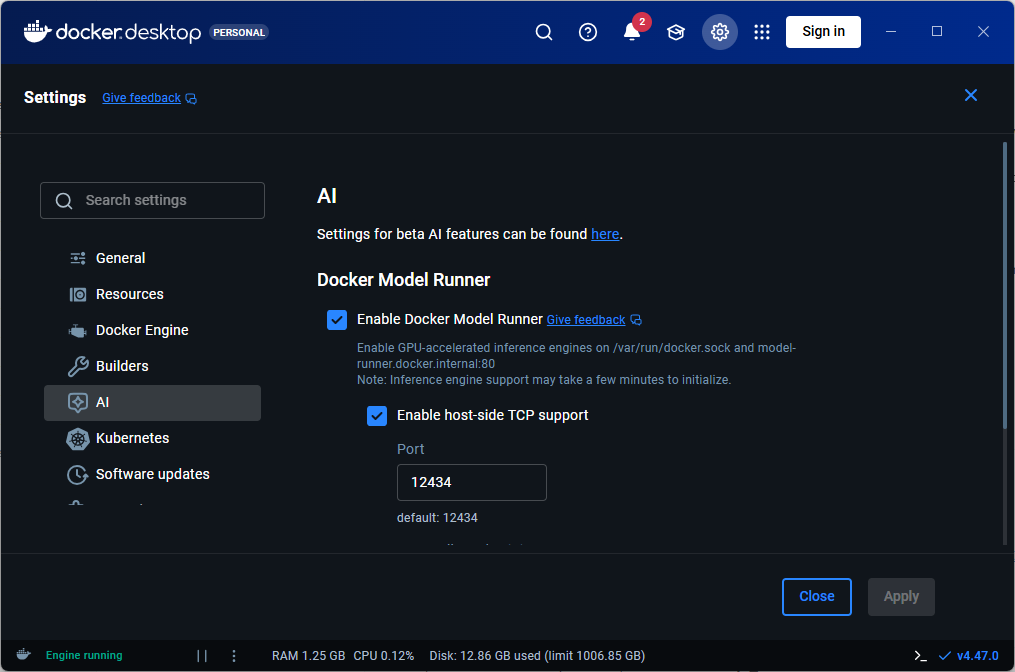
This feature can be enabled or disabled using docker model CLI or Docker Desktop GUI.
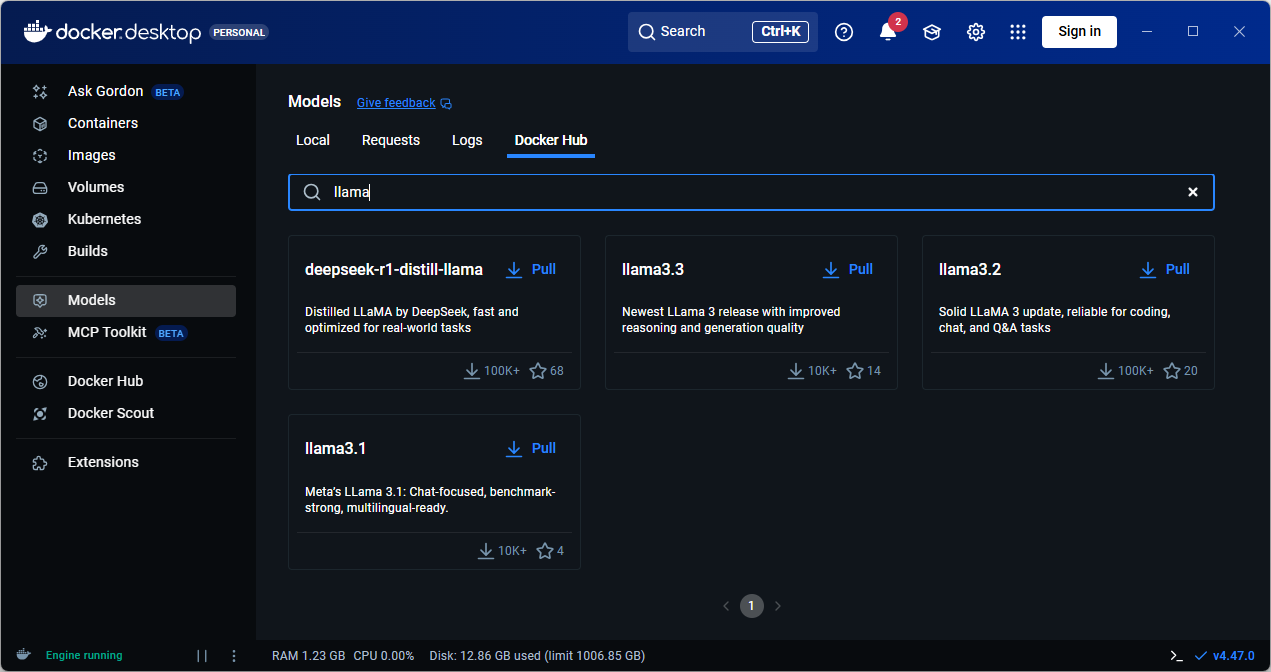
You can run docker model pull command to pull a model locally. You can obtain a list of models on Docker Hub or use the Docker Desktop GUI to browse the model catalog.
1
2
3
PS C:\> docker model pull ai/llama3.2:3B-Q4_0
Downloaded 1.92GB of 1.92GB
Model pulled successfully
The model names follow the convention {model}:{parameters}-{quantization}.
To generate a response, you can use the docker model run command.
1
2
3
4
PS C:\> docker model run ai/llama3.2:3B-Q4_0 "In one sentence, what is a Llama?"A llama is a domesticated mammal native to South America, closely related to alpacas, characterized by its long neck, soft fur, and distinctive ears.
Token usage: 45 prompt + 34completion=79 total
If you do not provide a prompt at the end of the command, an interactive chat session starts.
1
2
3
4
5
6
7
8
PS C:\> docker model run ai/llama3.2:3B-Q4_0
Interactive chat mode started. Type '/bye' to exit.
> In one sentence, what is a Llama?
A llama is a domesticated mammal native to South America, closely related to alpacas, characterized by its long neck, soft fur, and distinctive ears.
Token usage: 45 prompt + 34completion=79 total
> /bye
Chat session ended.
If you enable the host-side TCP support, you can use the DMR REST API programmatically to access and interact with the model.
 1
 2
 3
 4
 5
 6
 7
 8
 9
10
11
curl http://localhost:12434/engines/llama.cpp/v1/chat/completions \
-H "Content-Type: application/json"\
-d '{
"model": "ai/llama3.2:3B-Q4_0",
"messages": [
{
"role": "user",
"content": "In one sentence, what is a Llama?"
}
]
}'
ℹ️
Last updated: 30th September 2025
Share this article
Comments
Comments Require Consent
The comment system (Giscus) uses GitHub and may set authentication cookies.
Enable comments to join the discussion.
This site may load third-party content (comments, embeds) that could set cookies.
Learn more
Cookie Preferences
Control what third-party content is loaded. We use privacy-friendly analytics with no cookies.
Essential
ON
Required for the website to function. Cannot be disabled.
• Theme preference
• Privacy-friendly analytics
Comments
Giscus comment system (GitHub Discussions).
• Authentication cookies
• GitHub privacy policy
Embedded Content
Videos, code snippets, presentations.
• YouTube, Gists, SlideShare
• May set tracking cookies
Privacy First
No tracking cookies. Third-party content only loads with your consent. Preferences stored locally in your browser.
Comments
Comments Require Consent
The comment system (Giscus) uses GitHub and may set authentication cookies. Enable comments to join the discussion.